 Argus
Argus
How to check a hotel room or Airbnb for hidden cameras with your iPhone — a five-minute sweep with Argus
Argus – Hidden Camera Detector is an iPhone app that helps you check hotel rooms, Airbnbs and vacation rentals for hidden cameras and suspicious devices. This is the sweep we recommend the first time you walk into a room you don't own. It takes about five minutes and uses all four scanners.
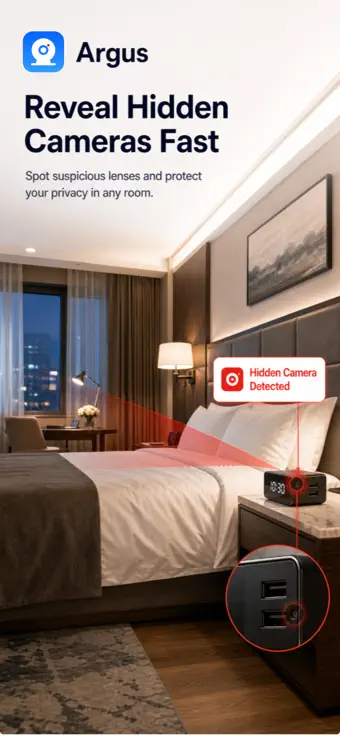
Where cameras hide in hotel rooms and rentals
- Smoke detectors and motion sensors above or facing the bed
- Alarm clocks and clock radios
- USB chargers and power adapters left plugged in
- Air vents
- TVs, set-top boxes and soundbars
- Lamps and picture frames
- Mirrors facing the bed or the shower
- The router or modem itself
- Anything with a small dark glass circle pointed at the bed or the bathroom
The five-minute sweep, step by step
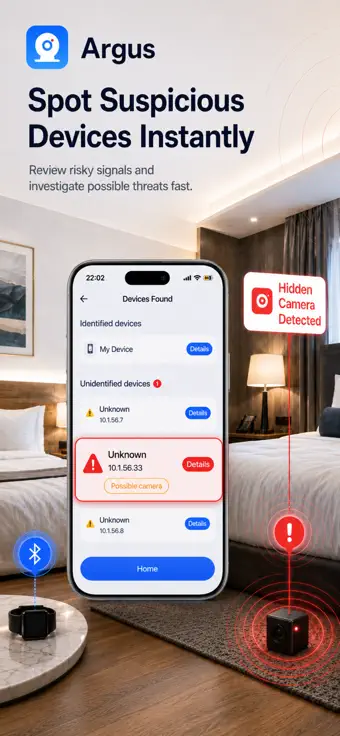
Step 1 — Join the room's Wi-Fi and run the Wi-Fi scanner
Argus lists the devices on the network you joined that answer a scan, how fast each answered, and which of the known camera and DVR ports are open. An open port commonly used by RTSP can indicate a streaming service; it does not confirm that the device is a camera. When a port answers, Argus asks it what it is and shows the reply, which often names the firmware and identifies the software far better than the port number alone. Look for anything you cannot account for. On a network you are scanning for the first time Argus cannot tell you whether an address is new, because it has nothing to compare against. In many hotels the guest Wi-Fi isolates devices from each other, so an empty result does not mean the room is clean — it means the Wi-Fi scan cannot see it, and you move on to the next three scanners.
-
Step 2 — Run the Bluetooth scanner from the bed and again from the bathroom
Argus lists the Bluetooth Low Energy devices advertising nearby during a ten-second scan, with name, address and the signal strength recorded when each was first seen. Signal strength is not tracked live within a scan, so to narrow down where a device is, scan again from a second spot and compare the two lists.
-
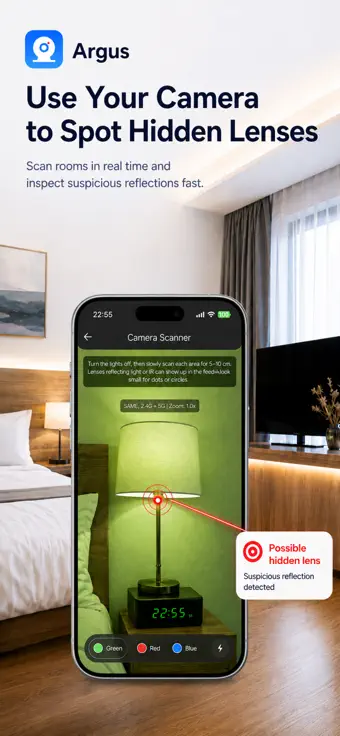
Step 3 — Lights off, camera finder on
Close the curtains, turn off the lights, switch on the torch in Argus and hold the phone 10 to 30 centimetres from smoke detectors, clocks, chargers, vents, the TV and every mirror. A hidden lens throws back a tight, bright pinpoint that stays in place as you move the phone; infrared night-vision LEDs show as a faint glow. The camera finder is built for dark rooms and deliberately stays quiet in bright light.
-
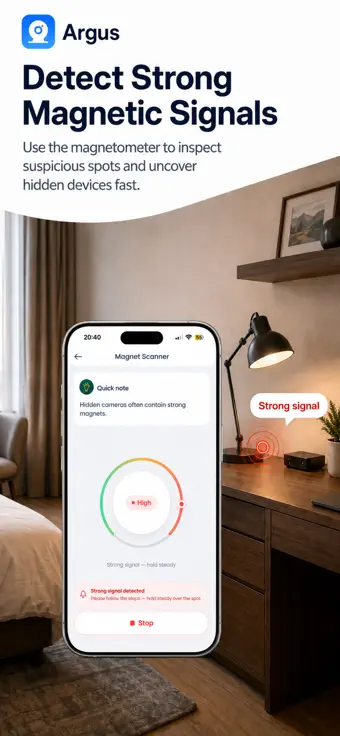
Step 4 — Pass the magnet scanner over anything suspicious
Sweep slowly, a few centimetres from the object. A spike means concealed electronics or a magnet — or plumbing, rebar and metal fittings — so treat it as a reason to look closer, not a verdict. If the reading stays high, move away from metal and start a new scan so the app recalibrates.
-
Step 5 — Cross-check and decide
One scanner hit is a maybe; two scanners pointing at the same object is a pattern. Argus keeps your Wi-Fi and Bluetooth scans in a local history on your phone, so you can compare rooms on the same trip.
If you find something
Don't touch it, unplug it or take it apart. Photograph it in place, with the time and the location. Report it to the host or hotel management and to the booking platform — Airbnb prohibits security cameras and recording devices inside a listing entirely — and to local police if it points at a bed or a bathroom. Keep your photos and your messages with the host. If you feel unsafe, leave and ask for another room.
What this sweep cannot find
A camera that is switched off, records to a memory card, uses its own SIM card or sits on a network you cannot join will not appear in the Wi-Fi or Bluetooth scan. A lens behind an opaque cover, or a camera with no infrared illumination, may not show in the camera finder. No app, including Argus, can guarantee that a room is camera-free — Argus narrows down where to look. Here is the honest, scanner-by-scanner list of limits.
Frequently asked questions
Does a hidden camera detector app work on hotel Wi-Fi?
Only partly. Hotel guest networks usually isolate each guest's devices, so the Wi-Fi scanner may see nothing at all. The camera finder, the Bluetooth scanner and the magnet scanner in Argus do not need the network, so in a hotel those three do the work.
Do I need an account to use Argus?
No. There is no account to create and no Argus server. Camera frames and magnetometer readings are analysed on the phone as they arrive and are never recorded or saved; Wi-Fi and Bluetooth scan results are kept in the app’s local storage on your iPhone, where you can delete them, and are never uploaded.
Which iPhone do I need?
Any iPhone running iOS 16 or later.
How long does the sweep take?
About five minutes for a hotel room, and a little longer for a whole apartment.
Is Argus free?
Yes. The Camera Finder — the infrared and lens-reflection scanner most people mean by a hidden camera detector — is free to use in full: no scan limit, no account, no ads. The Wi-Fi and Bluetooth scanners run for free too and tell you how many devices answered and how many of them are unidentified. Naming those devices, their per-device detail and the Magnet Scanner are what Argus Pro adds, as an auto-renewable weekly or yearly subscription whose price is shown in the app before you subscribe.
Run the sweep with Argus
Four scanners, about five minutes, and everything stays on your iPhone.